What is this?
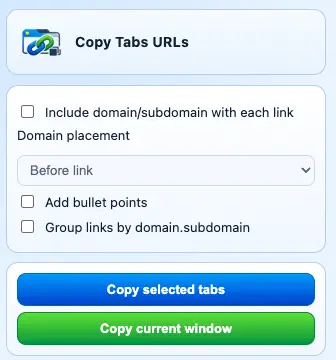
Copy Selected Tabs URLs is a Chrome Extension that lets a user copy all tabs in a window, or tabs selected (shift + click), into various formats.
The source code is simple: we have settings stored in Chrome to remember user preferences (including domain/subdomain, bullet points, grouping), we copy the URLs of the tabs selected or the current window.
To use, select your tabs (or have on open), and then click on the extension: a drop down menu will appear, chose your options and click copy.
I needed this because I had 400+ tabs open across 5 windows, and many of these were simply articles I was meaning to read. I could have used the reading list feature, but it’s more intuitive to copy this into notes.
Again, I used ChatGPT to create the banner and logo. It did this super well!One limitation, however, is that I was unable to control the size of the image.